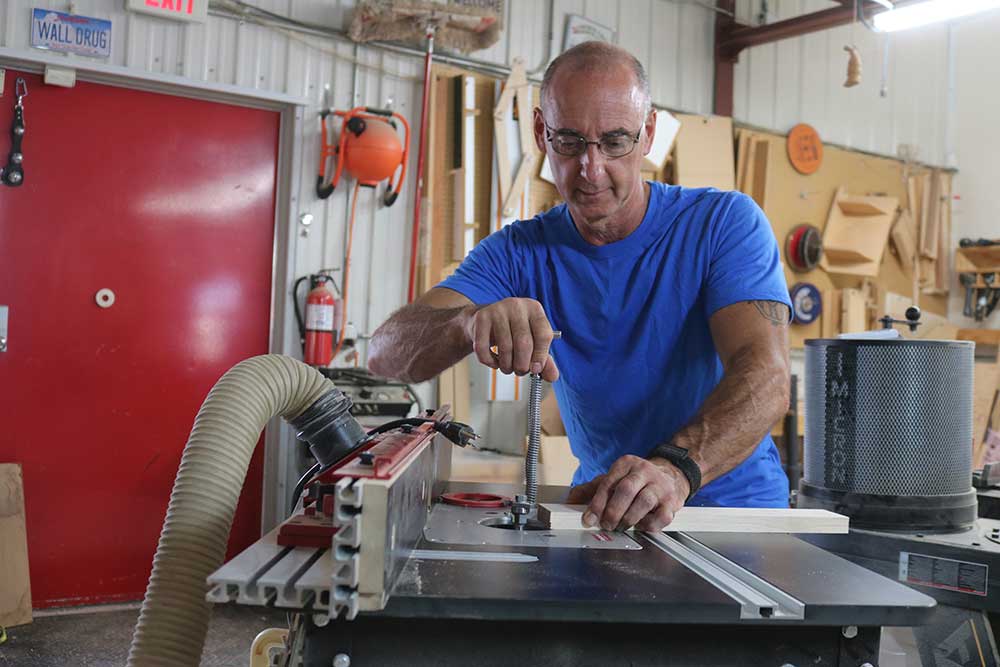
Cutting Board Finger Grooves
George VondriskaAdding finger grooves to a cutting board is a nice touch. They make it a lot easier to pick up the cutting board, and also look nice along the edges. This can be easily done on a router table.
The router bit used for this is task-specific and is used only for adding finger grooves to cutting boards. This is the bit used on this cutting board. The bits are available in different sizes and can be matched up to the thickness of the cutting board you’re working on.
Set the height of the router bit so the bit’s profile is centered on the thickness of your board and make the fence even with the ball bearing. Centering is made a lot easier by using MicroJig’s Fit Finder.
Add stop blocks to the router table fence to establish start and stop points for the cut. MicroJig’s MatchFit clamps work great for these stop blocks.
Be sure to check out the wealth of cutting board info we have on WWGOA.com.
Share tips, start a discussion or ask other students a question. If you have a question for an expert, please click here.
Already a member?
4 Responses to “Cutting Board Finger Grooves”
If you would like to have handles, finger holds on the ends of your cutting board, I'll be your Huckleberry. I'll show you how you can do this. This action, putting in these finger holds, is dependent on this specific router bit. We've got the source for you. These are available in different sizes, so the different size is what radius are we looking at here.
If you go to a thicker board, you could go to a bigger radius, thinner board, smaller radius, so you wanna match that up. The board I'm working with today is about an inch and a quarter thick, so that works well with this particular cutter. Now, one of the things you might notice while you're looking at that bit is there's a line on there. I did that to make getting the height of the bit easier to do. I'm gonna start by just lowering that in the table.
I know it's way too high. And then the way I establish the line, and the way I'm gonna take advantage of the line, is with another tool that I use a lot. That is Micro Jigs Fit Finder, the way It's a Habseez finder. The way that works is that when this rests on my work, this points to the center of my work. So if I do something like that, and that, and that, when this surface is resting here, that pointer is pointing to the middle.
So now that I've got the center line marked out on the bit, I can take advantage of that to do this. Router's unplugged, of course, throughout all of this. When the fence comes into play, very common with router bits, fence comes forward until the face of the fence is even with the ball bearing. And I'm gonna do a double-check. That looks good.
Then when I work this, when I use it, I wanna have a stop block on the table. The corner of the board is gonna come against that block, move right to left to another stop block, come off the cutter. So what we need to do is establish this distance, and what I'm doing to take that measurement is I'm looking at that screw that's holding the bearing on, and I'm using that as a center point. Clamp the stop block in place. Same thing going that way.
I shoot for This is an 11-inch wide board, 11 and a half inches wide, and I'm shooting for my finger groove to be six inches long when I'm done. So now that I've got those clamped, I'm just doing a double-check for my distance. It's gonna be easier with this ruler. Then the action is very simple. Plug the router in, that's step one.
I'm gonna come against this stop block, enter, move along the fence, exit. When you do this, don't hesitate here, because you'll introduce a burn. So we wanna engage, keep moving, disengage. Don't hesitate at the start of the cut. Working without the center finder, the other way to do this would be in material that's exactly the same thickness, you could do test cuts, and what you're looking for is for that on the bottom and that on the top to be the same size, and you can adjust the height of the bit until you hit that.
But with this cutter, it's so easy to introduce those hand holds. Little bit of setup and you'll be able to do this to your cutting boards, and I like it. It adds a real nice touch. It makes it easier to get that cutting board lifted up off your countertop.
Love the video!
Can you discuss the math that is involved in figuring out the center of your handholds and the distance to your stop block. I think I got a bit confused. You said you wanted it to be 6 inches in length. Do you find the center of the board and then go 3 inches each direction?
I also am looking for the source of the router bit. TY
What is the source of the router bit used in this video? I am right in the middle of making some boards and this would be an excellent way to finish them off. Thanks for the timely video.