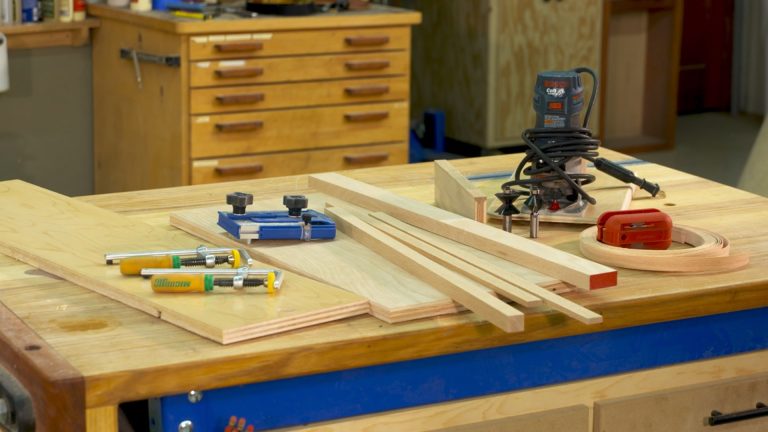
When you use plywood in your shop, or many other types of sheet stock, you’ll probably want to cover the edges. When this is done well the final piece will look like a solid piece of wood. Let’s look at what you need to do to effectively band plywood in your shop.
Types of banding
In this class you’ll learn about heat sensitive edge banding, thin strips like are commonly used for European-style cabinets and wide bands like you might put on shelves to reinforce them. Each of these requires a different approach in order to be used correctly.
Making the banding
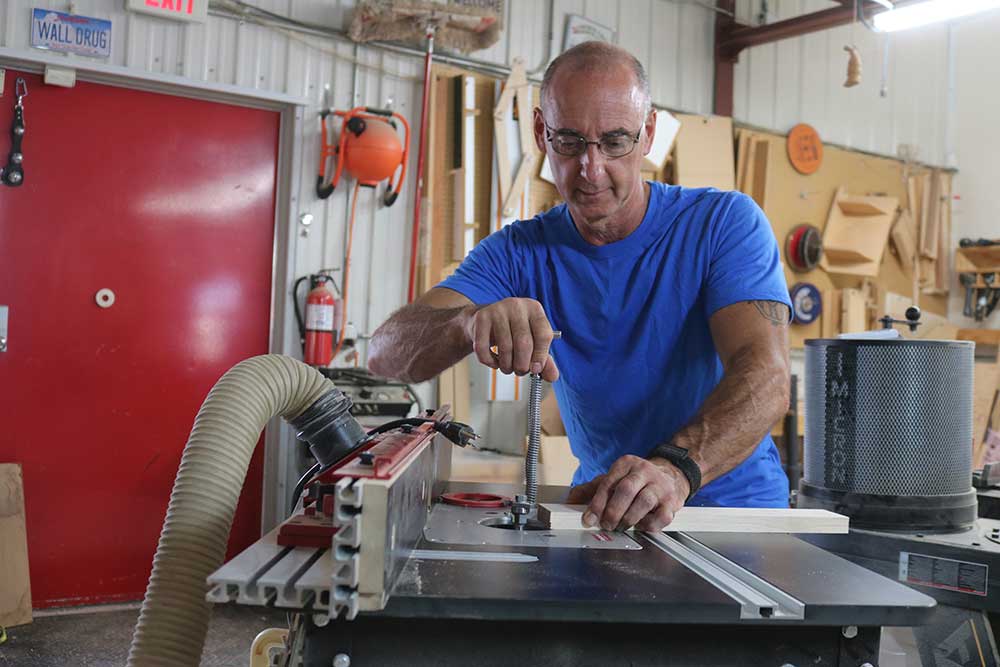
Banding is often very thin, and that means ripping those thin strips on your table saw. You’ll learn about a shop-made jig that works great for producing short banding, and a commercially made jig that makes it easy and safe to rip long pieces.
Clamp it
Clamping edge banding is unlike clamping other projects. Because it’s typically thin we have to take extra steps to make sure it’s secured. From masking tape to specialized edge band clamps, we’ve got you covered. We’ll even look at what it takes to clamp banding to a curved surface.
Trim it
Banding is applied oversized. That means the edges of the banding project past the face of the material. You’ll learn about shop-made devices that allow you to trim banding on a router table, table saw or with a hand-held router.
When working with short pieces a shop-made jig makes it easy to rip thin edge banding pieces on your table saw and keep the guard in place. Long pieces require a different approach, but it’s one that also allows the guard to be used.
Iron on edge tape can have an undeserved bad reputation. When it’s used correctly, iron on edge tape works great and stands up very well. There are a number of steps involved in getting this right, and you’ll see them all.
Working with banding, especially thin banding, requires different approaches than what you’d use when assembling other projects. This includes everything from masking tape to brads to unique clamping methods.
Exceptionally wide pieces of plywood can be awkward to clamp banding to simply because you need such a long clamp. Curved surfaces are also challenging to clamp to. No problem. There are a variety of specialized clamps that will handle both of these scenarios.
This is a unique, and very cool, method for attaching banding. A negative V is cut into the sheet stock, and a positive V is cut into the solid wood. When they’re glued together there’s a lot of glue surface, and the solid wood is automatically centered on the sheet stock.
In most cases edge banding doesn’t need reinforcement. The joint itself is very strong; you might want to add a loose tenon to make sure the face of the plywood is in good alignment with the edge of the banding. This is common for shelf edge support. Biscuit joiners and your table saw both provide good way to add alignment tenons.
Banding is typically glued on with the banding a little oversized, so it projects slightly past the faces of the material. That means it needs to be trimmed. You’ll learn about shop-made fences for your table saw and router and how to use them, a shop-made jig for a hand-held router, and how to hand plane and sand the trim so it’s flush.
It’s possible that you don’t want to edge band at all, but you need to deal with sheet stock edges. This might involve painting the edges or clear coating them. There are a handful of things you can do to make painted and clear coated edges look much better.
George Vondriska
George Vondriska is the Editor in Chief here at Woodworkers Guild of America and has been sharing his woodworking expertise since 1986. Apart from conducting classes at his renowned Vondriska Woodworks School, George's passion for teaching has taken him to woodworking shows nationwide and has led him to teach woodworking for prestigious organizations such as Peace Corps/Swaziland, Andersen Window, Northwest Airlines, and the Pentagon. With a wealth of published magazine articles under his belt, encompassing tool reviews and shop improvement projects, George's knowledge and skills continue to inspire woodworkers every day. To discover more about him and his school, visit georgevondriska.com.
Class Resource PDF
Bonus Materials available for download after purchase.
How do I know what the Class covers?
Every Class has a free Preview video you can watch, to give you a flavor of the Instructor and the skills or project that will be covered. In addition, the Overview tab includes a thorough written description of the Class. And finally, each Class Session has a brief written summary of the content in that Session, including the length of each Session video. You will get a good feel for the Class content by reviewing these resources.
Do I have to be a Member of Woodworkers Guild of America to purchase a Class?
No you don’t. While Premium Members will receive regular offers for special deals on WWGOA Academy content, Classes are not reserved exclusively for Members. If you buy a Class as a non-member, we’re sure you’d also enjoy having access to our full library of great woodworking videos and articles as a Member, so give it a try.
How do I purchase a Class?
First you should decide that the Class is what you want. Review the Class Preview video and the various written descriptions of the Class and each Session before you purchase, so you have a good understanding of the Class content. When you’re ready to purchase and gain access to the Class, simply click the “Add to Cart” button, and proceed through the Checkout process.
How do I access/view my Class?
Once you’ve paid, you can access/view your Class by going to the MY ACCOUNT section of Woodworkers Guild of America. The MY ACCOUNT link is in the upper right-hand area of the website. Within your MY ACCOUNT, a section labeled “My Content” is where the class you purchased will appear, including a link to watch the video of your Class. You’ll also receive an email confirmation after your purchase, which will include a link to view your Class. You can access your Class as many times as you wish, and you’ll never lose access to your Account information. Just be sure to “Log In” for access to MY ACCOUNT.
Do I have to take the Class right away?
No. Any Class you buy will be accessible to you always. You can view your Class whenever you want, and you can view individual Sessions in whatever order you like.
Is there a limit on the times I can view my Class?
No. Your access never expires. You can view any Class you purchase as many times as you want, whenever you want.
Can I view a Class on my tablet device or mobile phone?
No problem. Most newer-model smartphones or other mobile/tablet devices with an internet connection are able to play the Class videos. Simply Log In on Woodworkers Guild of America, and you can view any Class you’ve bought through the MY ACCOUNT section. Or, you can click on the “View Class” link within the email confirmation you’ll receive upon your purchase.
How do I get access to the Bonus Materials for the Class?
Until you purchase a Class, the Bonus material (any extra videos, download materials, etc.) will not be accessible. Once you purchase a Class, and go to view your Class, each individual Bonus element is accessible by simply clicking on each item. You’ll find the Bonus Materials directly below your main Class viewer frame. You can access the bonus materials as many times as you like and/or save them to your device.
How does the Class Q&A Resource benefit work?
Once you purchase any Class, within the Class viewing page, you’ll have access to post a question, comment or tip in the Class Discussions. This is not a “live chat,” but your Class Instructor and WWGOA contributors will answer posted questions and provide tips regularly. You can also view other Class participants’ questions and input to take part in this virtual dialogue among others who have taken the Class and are willing to share tips, answers, or ideas.
Can I print out Class details?
For any Bonus Material that is a PDF Download, yes you can. Just click on the icon/button for the Bonus element you want, and print with your local printer.
What are PDF downloads?
These are simply documents, plans, or written materials that are formatted in a way to print out and retain for reference. By simply clicking on the icon/link for any PDF Download that is included with a Class, you can print that document on your own printer or simply view the contents on your computer/mobile device.
Are there any system requirements to view the Class video content?
Your Class video content is best when viewed on a computer manufactured in the past couple of years with a good broadband Internet connection (not dialup). We also highly recommend using the latest version of Firefox, Safari, or Chrome as your Internet Browser, though recent versions of Internet Explorer will work as well. The recommended screen resolution is 1024 x 768 or larger.
Why do you need my email?
We need it to acknowledge your purchase of a Class, and send you a confirmation of your transaction. Also, in order to maintain your permanent access to the Class videos, you’ll need to Log In to WWGOA.com. We guarantee that we will not share your email with any third parties. You may receive email updates from Woodworkers Guild of America from time to time, with details of new Classes and updates. You can easily unsubscribe when you receive any email.
Can I get a refund if I don’t like the Class?
Because you’ll have full access to all the materials and content that is presented in the Class immediately, we can’t offer a refund after purchase. Please review the Class Preview video and the various written descriptions of the Class and each Session before you purchase, so you have a good understanding of the Class content.
How do I contact WWGOA Academy?
If your question is about the Class content, please use the Contact Us Link – and you'll receive feedback from the Class Instructor. Even your fellow Class participants may jump in to offer tips and advice from their experience. If you have other questions or need help, you can email us at wwgoasubscription@program-director.net or call us toll-free, at 1-855-253-0822. Service Representatives will be available Monday-Friday, from 8:00 AM to 4:30 PM Central time, excluding normal holidays.
Explore Classes by George Vondriska
You may be interested in
Sign up for our free newsletter today
Get our latest woodworking videos, plans, tips and techniques delivered right to your inbox.